
Everything worked in Dev. Everything worked in Test. But after deploying to Production, your Power Automate flow starts failing with errors. What gives?
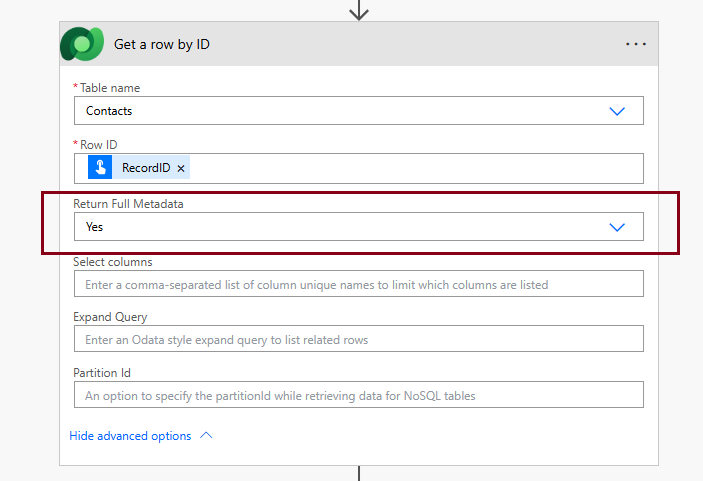
The culprit might be a deceptively small setting Return Full Metadata in the Get a row by ID action for Dataverse. If this toggle isn’t explicitly set to Yes, Power Automate might silently strip out essential metadata (the ones starting with @odata) breaking downstream logic in ways that are hard to anticipate.
Background: The Issue Encountered
We had a flow that performed perfectly in our lower environments but began failing in Production immediately after deployment. The issue was that it wasn’t returning any of the metadata information along with the record details for the Get a row by ID for the Dataverse action. Downstream logic relying on those metadata properties, more specifically in our case, like building record link broke.
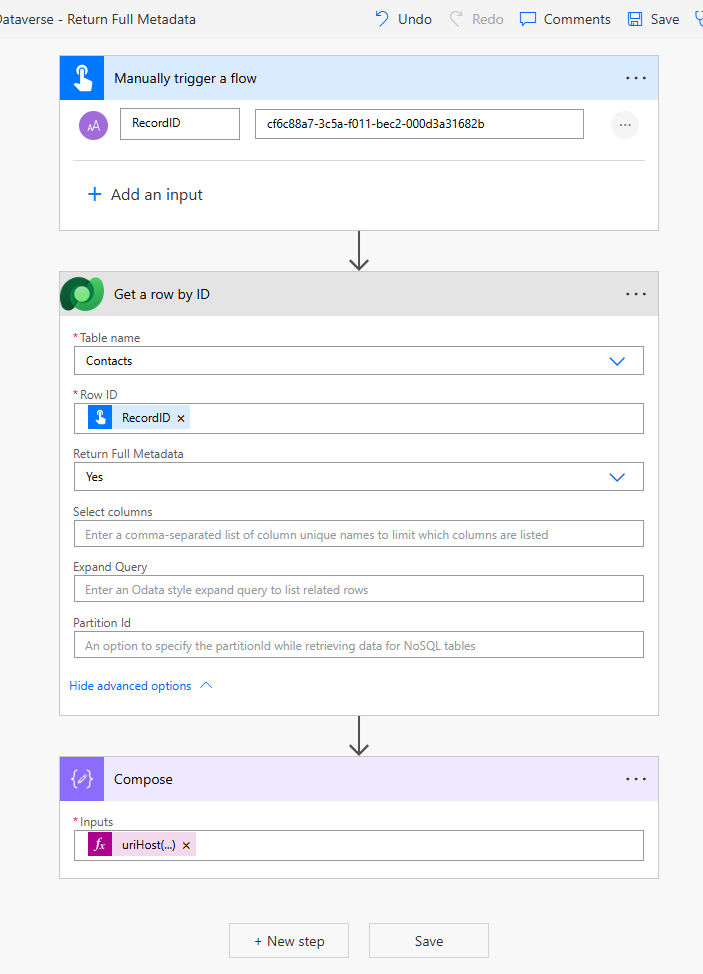
Investigation revealed that the Return Full Metadata was left unset, and as a result, the Dataverse connector defaulted it to No. Well that was interesting – a new setting that silently strips off metadata by default and there’s no mention of it in the Microsoft documentation. The official documentation states it’s non-mandatory option but doesn’t state it defaults to No. The result – the Compose action with this formula kept failing:
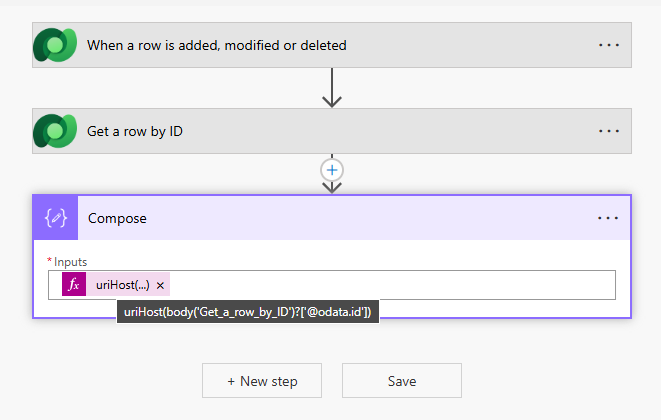
uriHost(body('Get_a_row_by_ID')?['@odata.id'])To make it even more frustrating, the Power Automate worked perfectly everywhere, except in production, despite using the same managed solution. A back-end update from Microsoft could have been the potential cause for the inconsistent behavior.
Fix: Explicitly Set “Return Full Metadata” to Yes
It is always a good idea to set Return Full Metadata to Yes under the Show advanced options of the Get a row by ID action if you know you’re going to be using those in downstream logic. Relying on defaults is risky especially in production environments. If you’ve been in the Power Platform world long enough, you know the real thrill isn’t building flow but rather waking up to find that a ‘minor improvement’ from Microsoft has mysteriously broken something in your production environment. Setting this explicitly guarantees consistent behavior across all environments.
The Role of “Return Full Metadata”
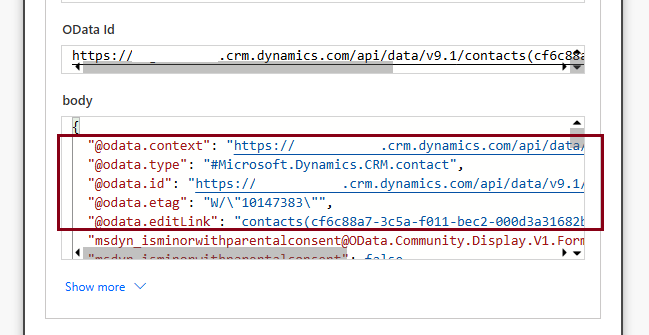
Toggling this setting to Yes instructs Power Automate to include the following oData properties which are otherwise stripped out of the response:
- @odata.context
- @odata.type
- @odata.id
- @odata.etag
- @odata.editLink
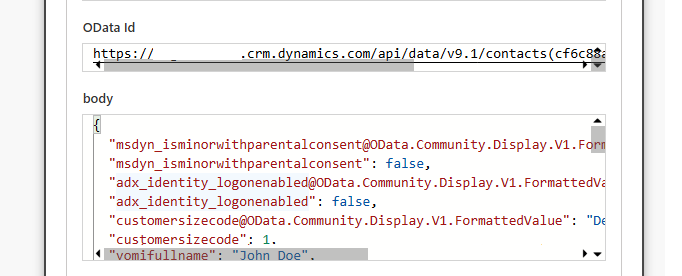
While in our case, we explicitly needed the metadata to execute some downstream logic, it would be beneficial to strip it out in scenarios where you don’t need it, especially when you’re dealing with larger data volumes. But keep in mind, this setting only shows up if you click the Show advanced options drop-down in the action.
Final Takeaways
- Explicitly set Return Full Metadata to Yes if you’re using metadata to execute downstream logic.
- Explicitly set Return Full Metadata to No if you’re dealing with large data volumes and have no need for metadata.
- Don’t leave it unset, unless you enjoy surprise weekend debugging sessions.
Since encountering this issue in the original tenant; I’ve had a chance to try it out in other tenants across different geographical regions and the response has been inconsistent. I’ve had scenarios (quite consistently might I add), where setting the value to Yes, No or even leaving it unset always returned metadata. Surprising right? It’s almost like Microsoft’s doing a bit of “don’t mind us, just tweaking some things in the back-end”. Hence my 3 laws of stability in my final takeaway!

